GEO: GENERATIVE ENGINE OPTIMIZATION
How to Claim Your
Business on ChatGPT:
Step-by-Step Guide (2026)
People are using ChatGPT to discover companies, compare options, and research products and services. OpenAI’s Business Hub gives eligible business owners and authorized representatives a way to claim an existing business listing, verify their connection to the business, update approved profile information, connect product data, and review aggregate insights.
OVEVIEW
What Is ChatGPT Business Hub?
Claiming a listing does not guarantee that ChatGPT will recommend the business, increase its visibility, or use only owner-provided information. OpenAI may review profile changes, and ChatGPT may also use other sources when answering questions.
Manage Your Profile
Update your buesines information and keep it accurate and current in ChatGPT.
Add Your Products
Connect a product feed to showcase what you offer.
View Business Insights
See aggregate data like mentions and website clicks to understand your visibility.
Create a Business Agent
If eligible, you can create a custom business agent to help answer customer questions.
A ChatGPT account you want to use to manage the business.
You must have the authority to represent the company.
Access to at least one method offered such as the business phone, email, DNS Records, or Shopify store.
Business records and identification that may be requested during Persona verification.
GET READY
Before You Start
Have the following ready to make the claim and verification process as smooth as possible.
How to Claim an Existing Business Listing in ChatGPT
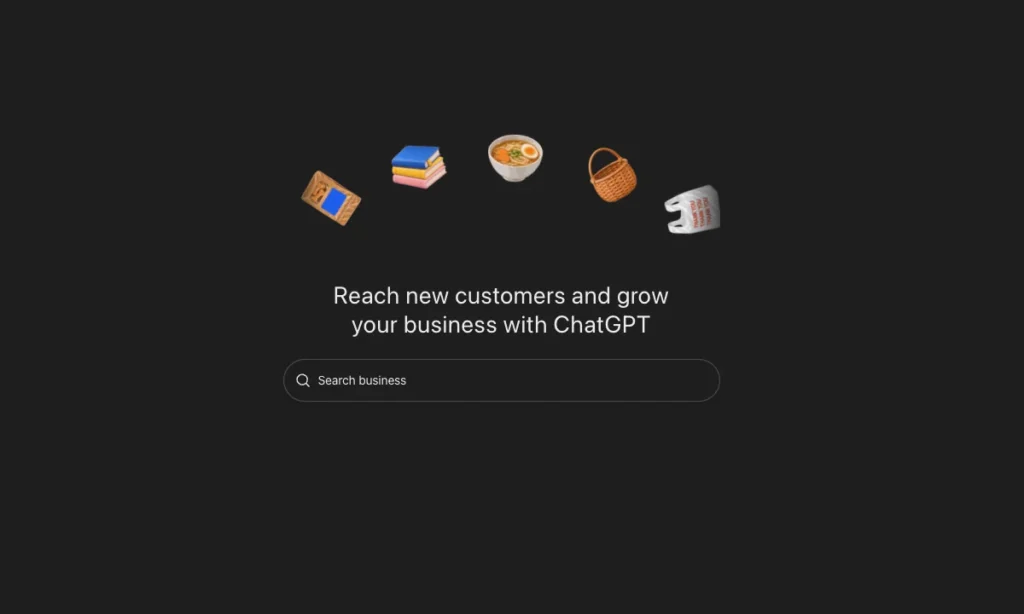
Step 1: Open Business Hub and Search for the Business
Sign in to ChatGPT on the web and open Business Hub from the sidebar. Search for the business by its public name. Use the name customers know, then compare the returned address and other details carefully so you do not select a similarly named company.
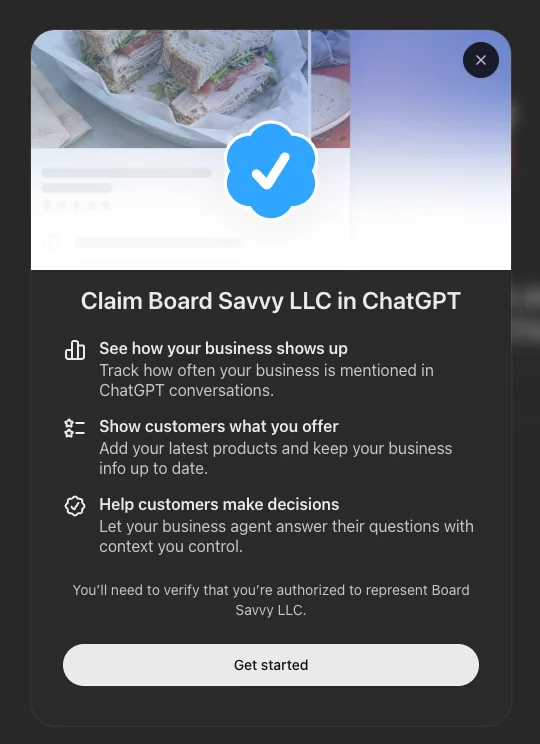
Step 2: Select the Correct Listing and Start the Claim
Choose the matching business profile. ChatGPT presents a claim screen explaining that a claimed business can see how it appears, add current product information where supported, and provide context for a business agent. Select Get started and confirm the ChatGPT account that will manage the profile.
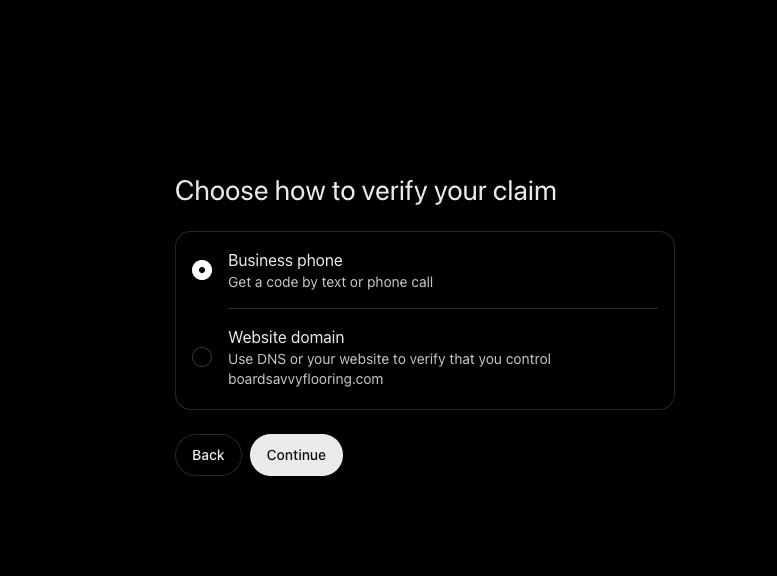
Step 3: Choose an Available Verification Method
Select one of the methods ChatGPT offers for that listing. In this example, the available choices are Business phone and Website domain.
OpenAI’s current instructions describe these possible methods:
- Business phone: Receive a code by SMS or automated call and enter it in ChatGPT.
- Business email: Receive a code at the business email associated with the listing.
- Website domain: Add the exact TXT record supplied by ChatGPT to the domain’s DNS settings, wait for it to propagate, and return to select Verify domain.
- Shopify store: Connect the Shopify store, review permissions, sign in, and follow the prompts.
Only use the method shown for your listing. Never publish a verification code or DNS value in a blog post or public screenshot.
Step 4: Submit the Claim and Wait for OpenAI’s Review
Completing the code or domain check submits evidence that you control a business contact point, but it does not itself mean the claim is approved. OpenAI reviews the claim and emails a decision or a request for more information. Review times vary.
If the listing is locked and shows Contact support, use that route. If another account has already claimed the profile, open the profile’s more-options menu and choose Dispute ownership, then follow the Persona process to demonstrate your authority.
Step 5: Complete Persona Identity Verification
An approved claim gives you access to the business in Business Hub, but it is not the final verification step. OpenAI requires Persona identity verification before you can publish business-information changes, connect a product feed, view insights, or create a business agent if eligible.
Persona may request a government-issued ID, business registration information, and proof that you are authorized to represent the company. The blue verified badge appears only after Persona verification is approved—not merely after the initial claim.
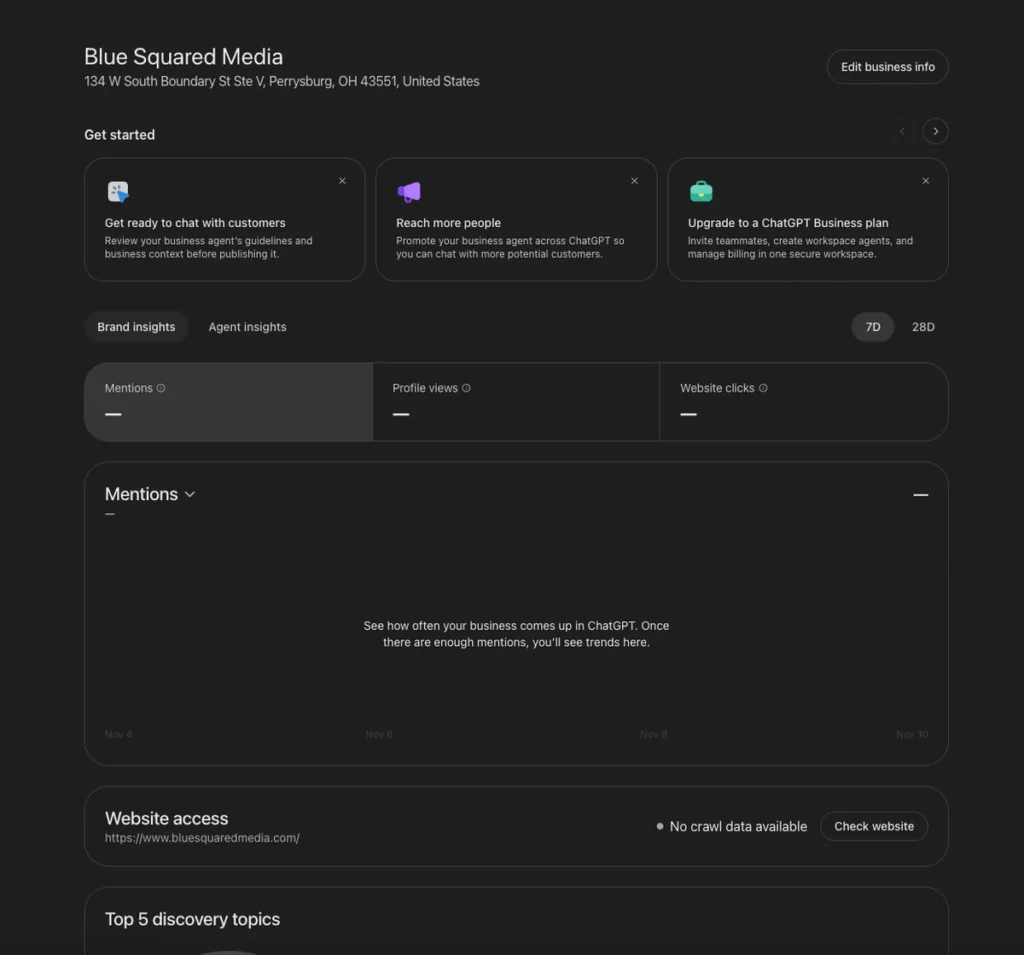
Step 6: Review the Business Profile and Insights
After the claim and Persona verification are approved, review the profile information for accuracy. Depending on the business and available features, you may be able to edit the website, description, category, logo, cover photo, delivery policy, and return policy.
The Insights area can report aggregate activity over the previous 28 days, including mentions, profile views where shown, website clicks, website-access status, and discovery topics. A blank metric does not necessarily mean zero activity; the reporting threshold may not have been met, data may still be collecting, or reporting may be unavailable.
Businesses do not receive individual customer prompts or private conversations. Discovery topics are grouped themes, not a transcript of what individual users asked.
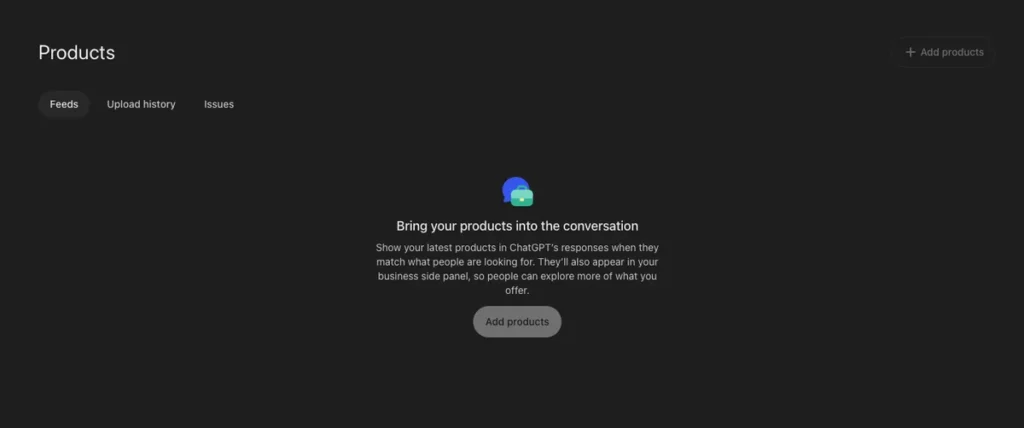
Step 7: Add or Connect Products If the Feature Applies
Businesses that sell products may be able to connect a product feed, including Shopify data or a compatible CSV/hosted feed. This can share details such as product availability and pricing. Follow OpenAI’s product-feed specification and commerce policies.
Connecting products does not publish a business agent and does not guarantee that ChatGPT will recommend the products.
ChatGPT Business Hub Questions
Got more questions? We’re here to help.
What If Your Business Is Missing?
This is where the process needs careful wording.
Verified fact: OpenAI says eligible businesses can claim an existing business or add one where ChatGPT is available and the required verification is supported. If an eligible online business is missing, Business Hub may display an option to add it.
Current limitation: OpenAI says local stores and restaurants can currently claim only an existing U.S. listing. A missing local business should not assume there is a self-service creation path.
What these screenshots prove: They show the flow for searching, selecting, and claiming an existing listing. They do not show an “add missing business” screen, so this article does not invent button names, fields, or submission steps for that conditional flow.
If you cannot find the business, follow only the options actually displayed in Business Hub. If no add option appears, contact OpenAI Support and include the business name, location, the step where you became blocked, and a screenshot with sensitive details removed.
One additional caution: OpenAI says that when Persona is used to create a new profile, approval automatically publishes that profile. There is no separate profile-publishing step, so review all information carefully before submitting.
Does Claiming a Business Help SEO or GEO?
Claiming a business is useful for accuracy and control, but it is not a ranking shortcut. Search engine optimization helps traditional search engines crawl, understand, and rank website content. Generative engine optimization helps AI systems interpret a business and confidently reference accurate, consistent information.
A claimed profile supports that broader effort by giving OpenAI owner-provided information, but your website still matters. Clear service pages, helpful content, consistent business details, structured data, credible third-party references, and accessible product or service information all contribute to a stronger digital presence.
For a deeper comparison, read Blue Squared Media’s guide to SEO vs. GEO (https://bluesquaredmedia.com/seo-vs-geo/).
Is it free to claim a business in ChatGPT?
OpenAI says an Ads account or ChatGPT Enterprise agreement is not required to claim an eligible business. Availability still depends on location, business type, and supported verification.
How long does approval take?
OpenAI does not promise a fixed review time. Watch the account email for a decision or a request for more information.
Does a claimed profile receive a blue check immediately?
No. The verified badge appears after Persona identity verification is approved, not merely after the initial business claim.
Will claiming make ChatGPT recommend my business more often?
No guarantee is provided. Claiming lets you manage information you supply, but it does not give direct control over independent recommendations.
Can an agency help manage a profile?
The claiming administrator can add teammates through the available access controls. An agency should be added through supported access options rather than receiving a forwarded personal claim invitation.
Prepare Your Business for AI Discovery
Blue Squared Media helps businesses improve their websites, SEO, and GEO strategy so customers—and the systems they use—can find accurate, useful information. If your business needs a stronger digital foundation for search and AI-powered discovery.
Official source: OpenAI Help Center — Setting up your business on ChatGPT (https://help.openai.com/en/articles/20001635-setting-up-your-business-on-chatgpt)